Channel use templates
A channel can be for sales, collections or follow-ups. The template sets up what that use needs, and nothing more.
Not every channel is used the same way. One may be the sales channel, where the agent quotes and hands orders to a person; another belongs to a debt collector; another to someone who uses their WhatsApp to follow up on a process.
A use template sets the channel up for what you will use it for. Applying it does not switch on any hidden mode: it changes ordinary channel and agent settings, the same ones you can see and edit by hand afterwards.
The available templates
| Template | What it is for | What it sets up |
|---|---|---|
| Just connect | Receiving and sending messages. If the channel has an agent, the agent answers; nothing else | Nothing extra. It is the usual option |
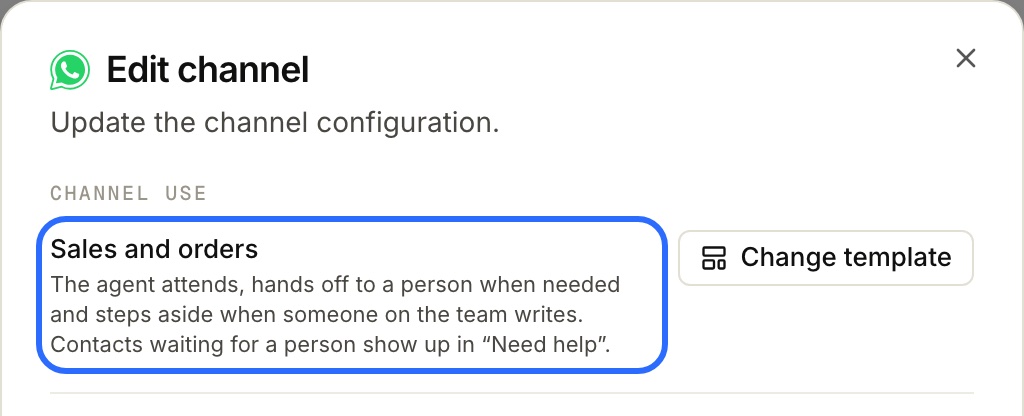
| Sales and orders | An agent that attends, hands off to a person when needed and steps aside when someone on the team writes | Handing off to people, the “Need help” tab, the thread left to the team member (24 h) and the reminder (2 h) |
A new channel starts as Just connect: no reminder, no “Replied to you”, and the agent doesn't step aside when someone on the team writes.
Note: Just connect doesn't take tools away from the agent. If the channel's agent can hand off to a person, it still does: it pauses the conversation and puts it in “Need help” as “Asked for help”. In that case Channel use tells you so:
This channel's agent can hand a conversation off to a person. To see those requests in “Need help” with a reminder, apply “Sales and orders”.
To make sure an agent never hands off, turn off Derivar a una persona in its tools (see When the agent hands off).
How a channel with Sales and orders behaves is explained step by step in How does the order agent work?.
Choosing the template when you create the channel
As soon as the channel is connected, Lolos asks “What will you use this channel for?”. Just connect is already selected: if that is what you want, you finish as always.
If you pick another template and it cannot be applied yet —for example, because the channel has no agent assigned—, Lolos tells you and you can apply it later from Edit channel.
Changing a channel's template
- Open Edit channel (in the sidebar, ··· on the channel → Edit channel). The first section is Channel use and shows the current template.
- Tap Change template and pick the new one.
- Check the “This will change:” list. Each line shows the current value and the one it will end up with.
- Tap Apply template.
If the channel is already set up that way, the list says “Nothing: the channel is already set up this way.”
When the template changes the agent
Some things belong to the agent, not to the channel. For example, for Sales and orders the agent must be allowed to hand off to a person. If it is not, the list marks that line with the Agent label and warns:
This changes the agent, not just this channel
Since one agent can serve several channels, Lolos shows which other channels it serves and asks you to confirm **“Change the agent “agent name” on all its channels”**. Without that confirmation the template is not applied.
If the agent already allowed that tool but the channel had it trimmed under Tools, the template turns it back on for this channel only.
When it cannot be applied
The template shows as Unavailable, with the reason, when:
- the channel has no agent assigned;
- the Hand off to a person tool is not enabled on your installation;
- the agent's tools couldn't be read (try again in a while);
- the agent can't be edited from here: for example, LolosAI, the organization's assistant.
When you pick Just connect on a channel whose agent can hand off, the list also warns that the agent will still be able to hand off: the template doesn't change its tools.
“Custom”
After applying a template you can change any setting by hand. If you do, Channel use shows “Custom · based on Sales and orders”: that way you know where the setup came from and that someone adjusted it. Applying the template again puts everything back the way the template defines it.
The “Handing off to people” section
It shows up in Edit channel when the channel's agent can hand off to a person, or when either of its two settings has a value (so you can always see and turn it off). On a collections or follow-up channel, with no hand-off, you will not see it.
| Setting | What it does |
|---|---|
| Leave the thread to the team member for | When someone on the team writes to the contact, the agent stops answering them for that long, counted from that person's last message. If the contact replies, the conversation shows up in “Need help” as “Replied to you”. It's also what turns on “Wrote again”. Empty: the agent answers anyway, and only “Asked for help” exists |
| Remind if nobody answers within | If a contact in “Need help” waits that long without anyone writing to them, the team is alerted once more. Empty: no reminder |
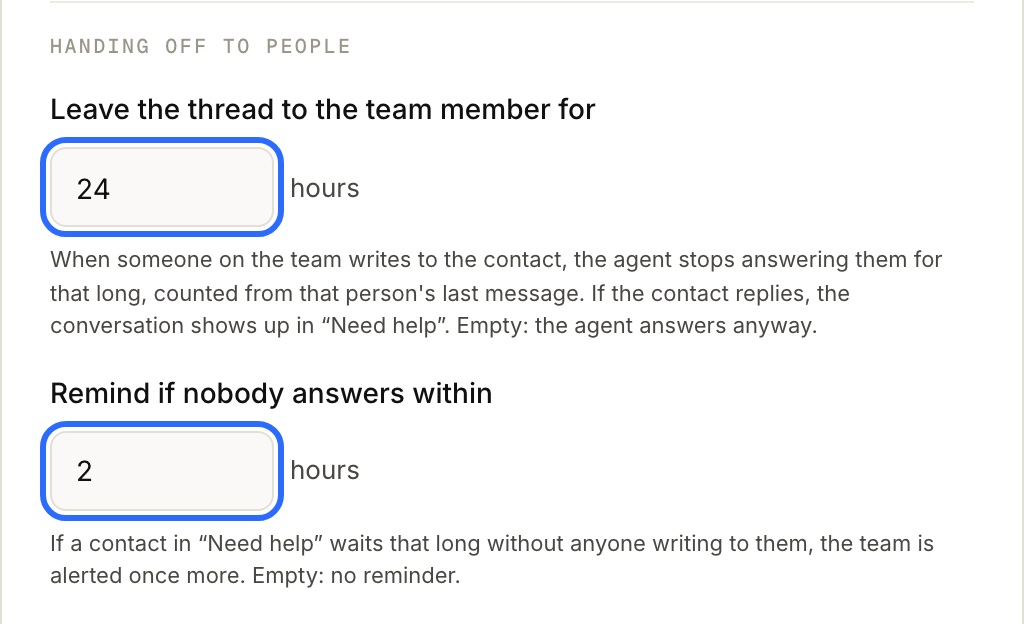
Sales and orders sets them to 24 and 2 hours. You can change them without changing template: the channel then shows as “Custom”.
The “Need help” tab
It only shows up where hand-off is part of the setup: on channels with Sales and orders, or with one of the Handing off to people settings, or when there are conversations waiting. A team that uses WhatsApp only for collections does not see an empty tab.